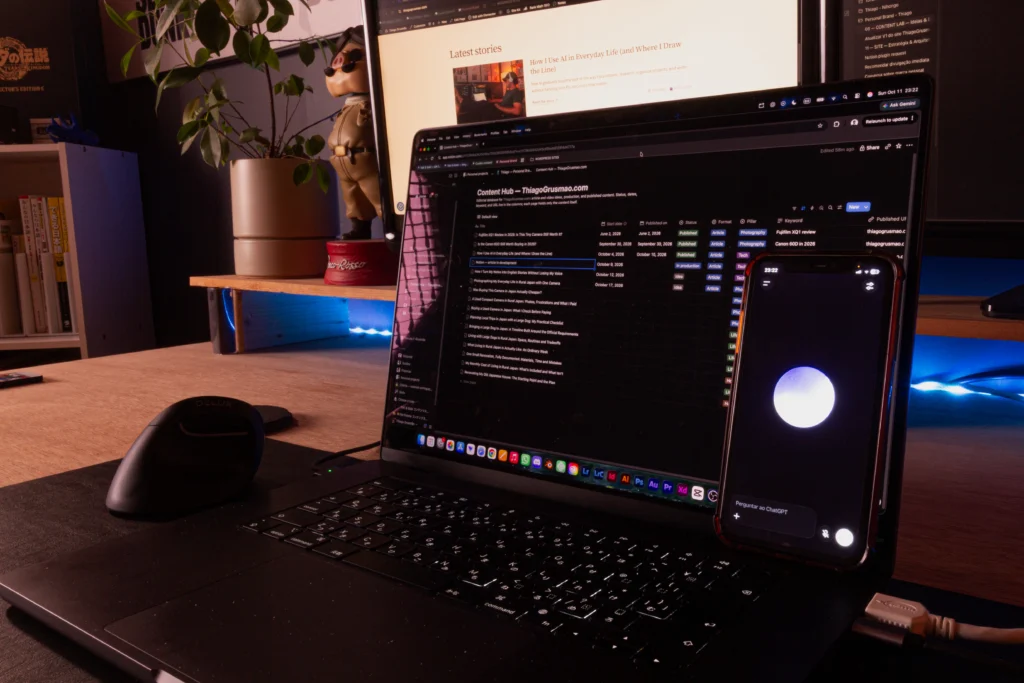
How I went from Trello boards to building my own Second Brain—and why Notion AI changed the way I organize my projects.
I was on my way to a shopping center with my wife, Haruka, when I decided to set up her Notion workspace.
She was still learning how to use the app, and I wanted to give her a place to organize her projects without making things unnecessarily complicated.
I took out my phone, opened Notion AI, and started explaining what I needed.
About 40 minutes later, the initial structure was ready. She had her own pages, databases, schedule, and project areas, all organized in Japanese.
I hadn’t even opened my laptop.
What made that experience interesting wasn’t just how quickly everything came together. It was remembering how much time I’d spent learning to build similar systems myself.
A few years earlier, setting up that workspace would probably have taken me an entire afternoon, if not longer.
Today, Notion is where I keep track of my projects, research, ideas, and much of the information I don’t want to lose.
But my relationship with the app started very differently.
From Trello to Notion
Before Notion, I used Trello.
I’ve always liked Kanban boards. There’s something satisfying about seeing a project divided into columns and moving cards as the work progresses.
Trello made that incredibly simple.
For a while, it was exactly what I needed.
Eventually, though, my projects became more complicated.
I wasn’t just managing tasks anymore. I needed somewhere to keep research, references, documents, notes, and the decisions I’d made along the way.
Trello could accommodate some of that, but it wasn’t the kind of environment I wanted.
I ended up spreading information across different applications.
One place for tasks, another for notes, somewhere else for research.
The biggest frustration came when I returned to a project after a few weeks and couldn’t immediately remember where I’d left everything.
That’s what made Notion interesting to me.
I discovered it toward the end of 2021, and the flexibility caught my attention almost immediately.
Instead of just organizing cards, I could create an entire environment around a project.
Pages could contain documents, databases, references, and different ways of viewing the same information.
It seemed like exactly what I’d been looking for.
There was just one problem.
Notion gave me so much freedom that I had to learn how to use it without making everything unnecessarily complicated.
I spent much of 2022 watching tutorials, experimenting with databases, and figuring out how the different pieces worked together.
By 2023, Notion had become part of my routine.
But whenever I wanted to build something more sophisticated, I still had to remember how to configure it.
Sometimes I’d spend more time adjusting the organization than working on the actual project.
I enjoyed figuring it out, but that wasn’t particularly efficient.
Then Notion AI changed my approach.
What Notion AI Actually Changed for Me
The biggest benefit I get from Notion AI isn’t having it write something for me.
It’s being able to explain how I want a system to work instead of building every part manually.
Let’s say I want to organize a project.
I might need a place for its documentation, a database of related tasks, and a view showing only what’s currently in progress.
Previously, I would have spent time creating databases, configuring properties, setting up relationships, and experimenting with filters.
Now I can describe what I need to Notion AI and work through the structure with it.
If something doesn’t make sense, I ask for an adjustment.
If the system is becoming too complicated, I ask it to simplify things.
And if I don’t understand why something was configured a certain way, I can ask for an explanation.
I still make the decisions. The difference is that I no longer have to handle every technical detail myself.
Over time, I’ve rebuilt almost my entire personal Notion environment this way.
Not with one magical prompt, but through many small conversations and adjustments.
That’s also why I find this use of AI more interesting than simply generating text.
It helps me turn an idea about how I want to work into an actual system I can use.
And I can show you a real example.
My Content Hub: A Real Example of How I Use Notion
I’m currently building ThiagoGrusmao.com, my personal website about life in Japan, photography, technology, creative work, and whatever I’m learning or building along the way.
That means I usually have several articles at different stages.
Some are published. Others are being written. And then there are ideas that might eventually become articles—or might never go anywhere.
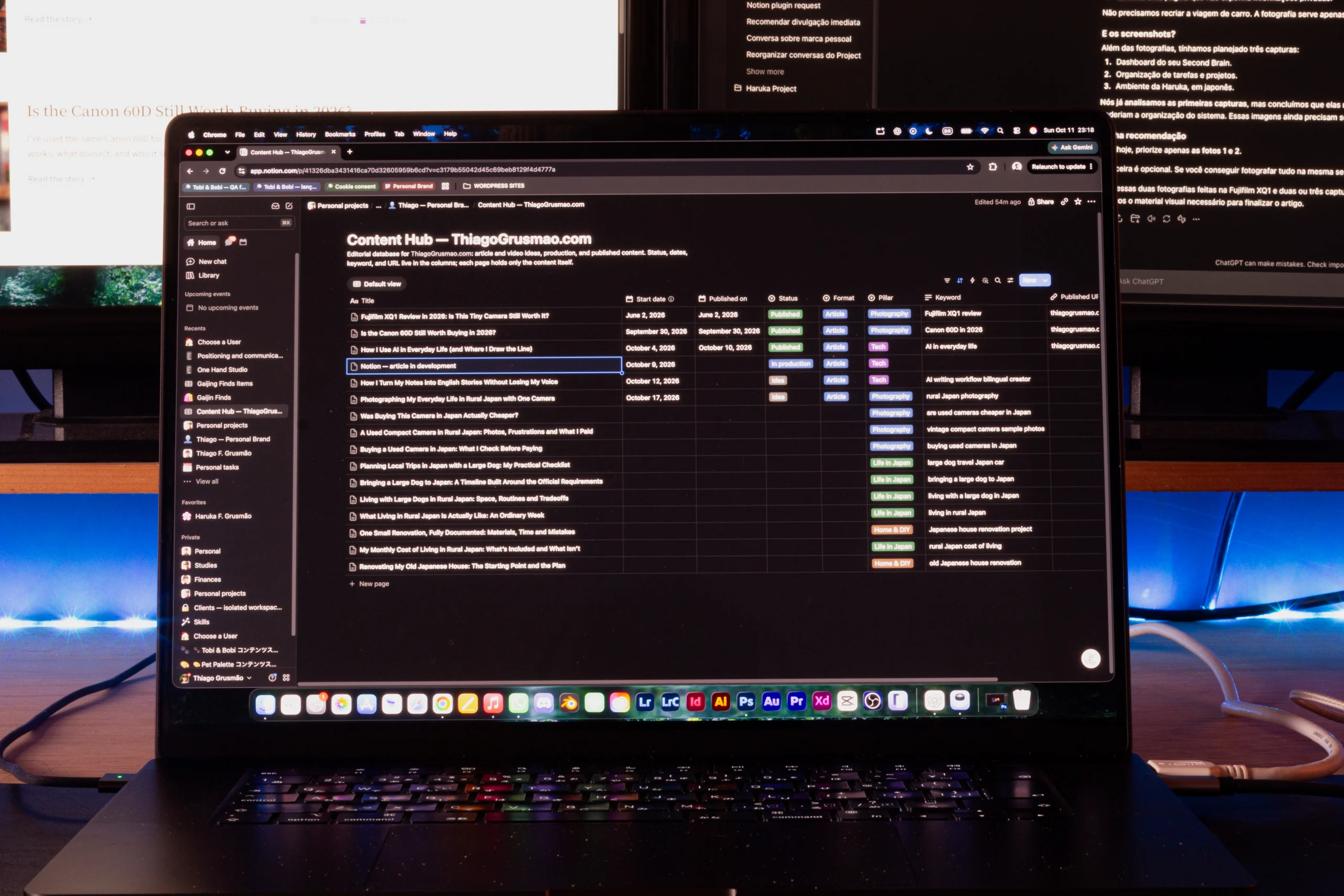
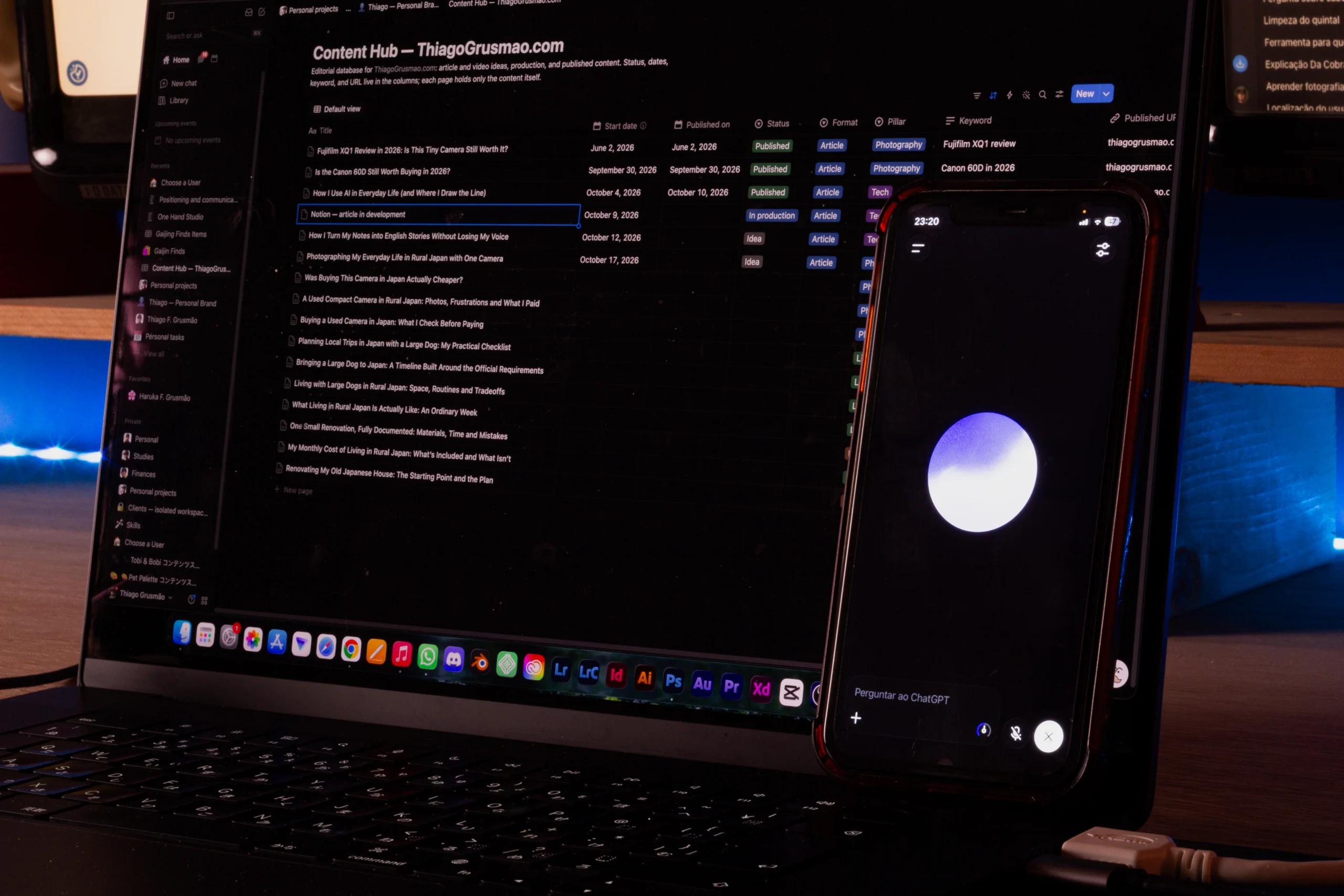
I manage all of this in a Notion database called my Content Hub.
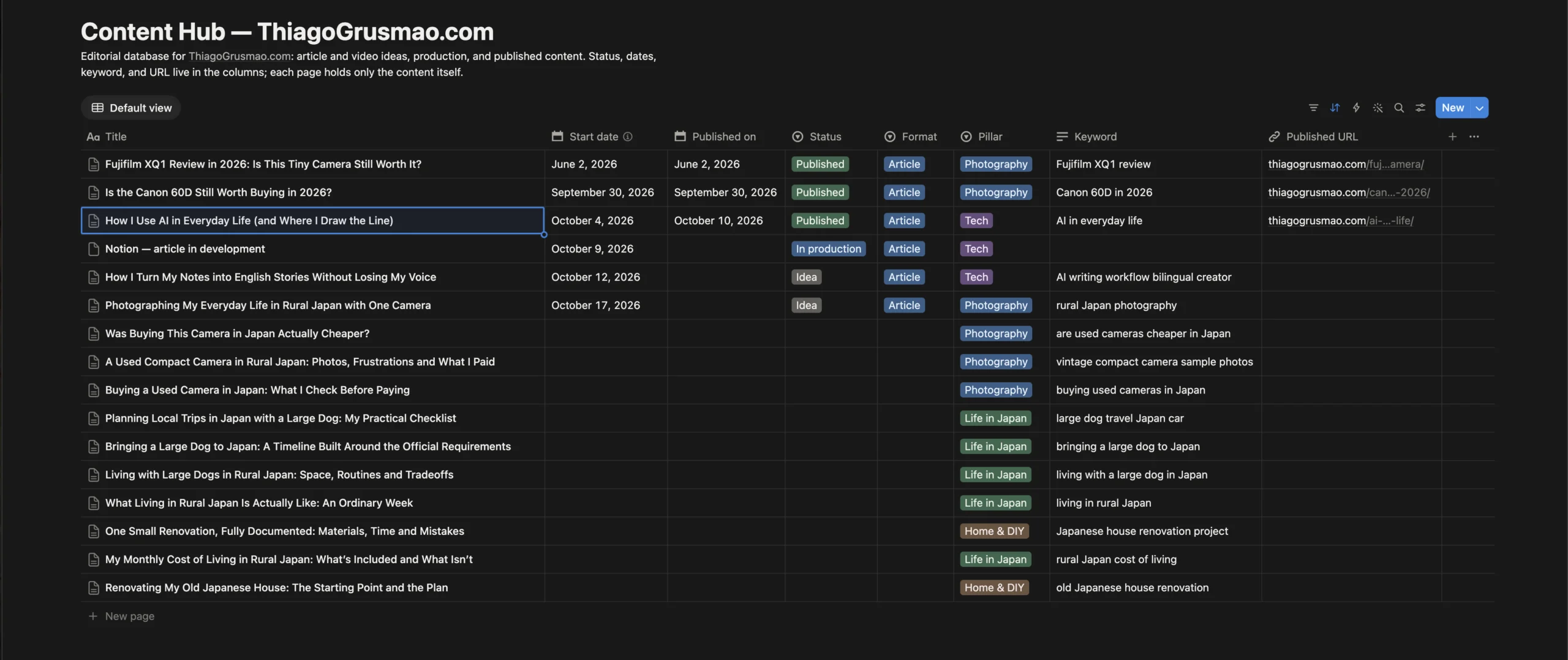
Each entry represents a piece of content.
Alongside the title, I keep information such as its status, editorial category, relevant dates, and target keyword.
For example, my articles about the Fujifilm XQ1, Canon 60D, and everyday use of AI are marked as Published.
Other entries are still marked as Idea.
And here’s something I find particularly appropriate: this very article about Notion is sitting in that same database, marked In production.
It’s a small detail, but it illustrates how I actually use the system.
When I have an article idea, I can give it a place in my editorial planning without pretending I’m ready to write it.
When I decide to work on it, I can return to that entry, develop the content, and track its progress.
Once it’s published, the entry remains part of my editorial record.
I don’t have to maintain a separate list of published articles, another document containing future ideas, and a third place to manage what I’m currently writing.
The database provides the overview, while each entry can hold the content and context of that particular article.
And because Notion supports different database views, I can organize the information according to what I need to see.
A table might be useful for reviewing publication details. A filtered view can help me focus on work that’s still in progress.
I’m not creating a new copy of everything each time I want to look at it differently.
That might sound like a small improvement, but when you’re juggling several projects, having one reliable place to return to makes a difference.
The Content Hub is just one part of my setup.
Why I Call It My Second Brain
Outside the website, I’m also renovating an old house in rural Japan, studying, organizing personal responsibilities, and working on other projects.
And I tend to collect a lot of information along the way.
Sometimes it’s research for an article. Sometimes it’s a useful reference, something I learned, or an idea I don’t have time to develop yet.
Trying to remember all of that doesn’t work particularly well for me.
That’s where the idea of a Second Brain comes in.
I use Notion as an external place to keep information that I might need again.
But there’s an important difference between saving something and being able to find it when it matters.
A folder full of random notes isn’t necessarily useful.
I want to open a project and understand what it’s about, what I’ve already decided, and what needs attention next.
For example, I can keep a project’s guidelines and reference documents alongside access to its related tasks.
Some tasks live in a central database but appear in project-specific views, so I can focus on one area without duplicating the underlying information.
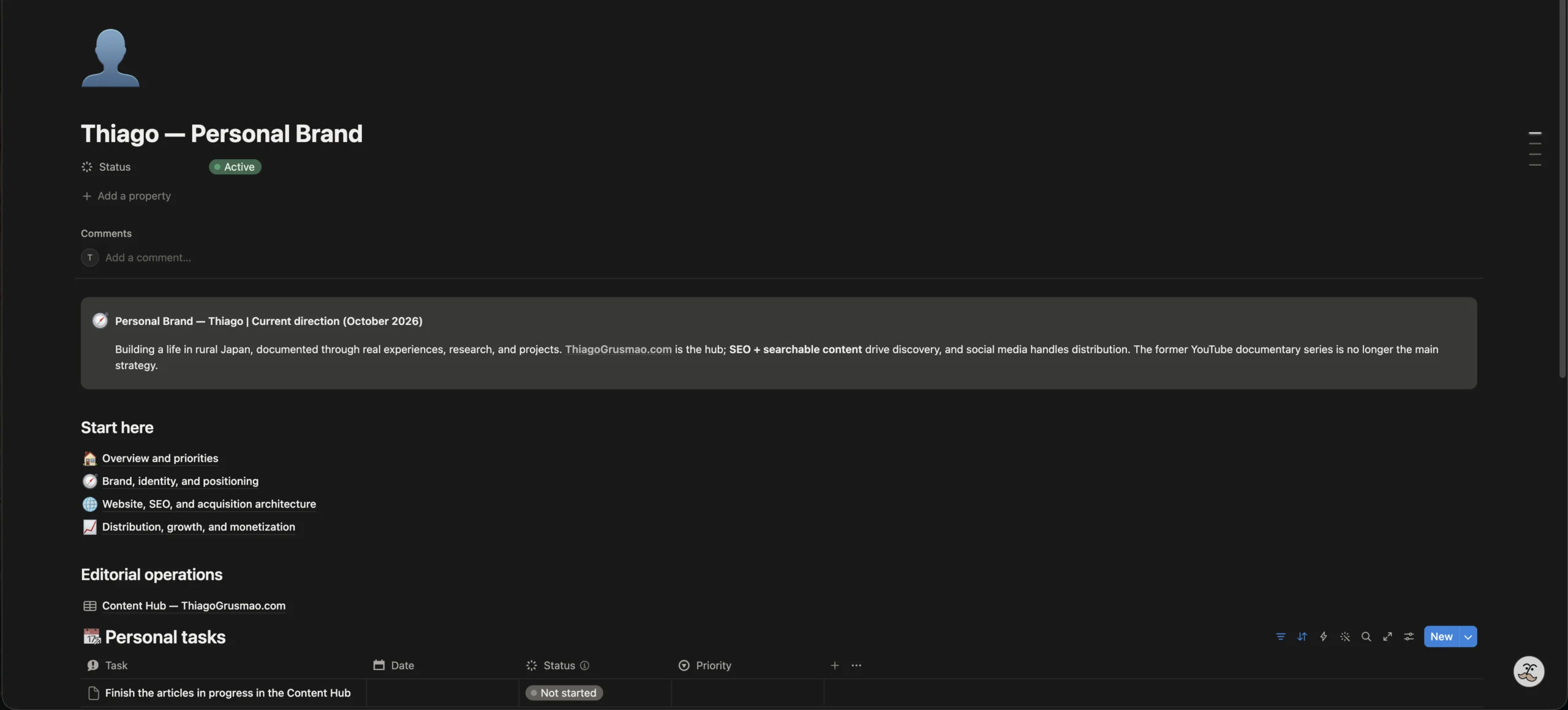
I also have places for study materials, personal references, research, and ideas I might revisit later.
Not every part of my workspace is perfectly connected. Some areas still use older structures, and others are intentionally independent.
I don’t see that as a major problem.
The goal isn’t to build the most sophisticated Notion workspace possible.
I want to be able to put something aside, return to it weeks later, and understand where I left off without rebuilding the context from memory.
That’s what makes Notion more valuable to me than a simple task manager.
Building a Completely Different Space for Haruka
Going back to the story from the beginning, there’s another reason I wanted to create Haruka’s workspace with Notion AI.
My own setup is fairly complicated.
It has grown over several years, and its structure reflects how I think and organize my work.
Handing that same system to someone who’s just learning Notion wouldn’t make much sense.
Haruka needed something simpler, with her own projects and information organized in Japanese.
So I created a separate area for her within my Notion account.
It includes her schedule, personal information, and projects such as Tobi & Bobi and Pet Palette.
Her environment has its own structure instead of depending on my personal databases.
And because I can work with AI in Portuguese or English while preparing information in Japanese, I can help her organize things without having to manually translate every step of the process.
Of course, I still need to review the results. A translation or an AI-generated structure isn’t automatically correct just because it looks convincing.
Haruka is also still learning how to use her workspace, and I continue helping her make adjustments.
But the interesting part is that I could create something adapted to her needs from my phone, during an ordinary car ride.
I didn’t need to recreate my own complicated system or spend hours remembering how to build everything.
That experience was a good reminder that organization should adapt to the person using it, not the other way around.
Where ChatGPT Fits Into My Workflow
I use ChatGPT alongside Notion, but they serve different purposes.
ChatGPT is often where I go when I need to think something through.
I can start with an idea that isn’t particularly clear, talk about it, ask questions, consider alternatives, and gradually figure out what I want to do.
I especially like using voice conversations because I don’t always need to be sitting at my desk.
Notion is where I want to keep the information worth preserving after that process.
A conversation might help me decide the direction of an article. Once I’ve made that decision, I want the relevant information organized somewhere I can find it later.
I don’t transfer every conversation into Notion, and I’m not running a seamless automatic synchronization between the two apps.
Most conversations don’t need to become permanent documents.
But decisions, useful research, project guidelines, and tasks often do.
That’s the distinction I make.
ChatGPT helps me explore an idea. Notion helps me keep track of what comes out of it.
I’ve written more about how I approach these tools in How I Use AI in Everyday Life (and Where I Draw the Line).
The Mistake I Wouldn’t Repeat
There’s one thing I wish I’d understood when I started using Notion.
A better-organized workspace doesn’t necessarily mean you’re getting more work done.
It’s easy to spend an afternoon building dashboards, adding properties, experimenting with formulas, and trying to create the perfect system.
I’ve done that more times than I’d like to admit.
Sometimes the work is worthwhile. Other times, you’re just making the organization more complicated.
And Notion AI doesn’t automatically solve that problem.
In fact, because building things is now easier, it’s possible to create unnecessary complexity even faster.
These days, I try to ask a simple question before adding something:
Will this actually make the work easier?
If the answer isn’t clear, I probably don’t need it yet.
That brings me to the advice I’d give someone starting with Notion today.
How I’d Start Using Notion Today
If you’ve never used Notion before, I wouldn’t recommend copying someone else’s elaborate Second Brain.
I certainly wouldn’t recommend starting with mine.
Instead, I’d begin with one problem you actually want to solve.
For example, keeping track of your weekly tasks.
Create a page called My Week and add a simple database with three properties:
| Property | What it’s for |
|---|---|
| Task | What you need to do |
| Status | Not started, In progress, or Done |
| Date | When you plan to do it, if a date is necessary |
Then create two views.
One shows unfinished tasks. The other shows tasks scheduled for the current week.
That’s enough to get started.
Use it for a while.
If you later need to organize several projects, you can add project pages. If those projects need to share tasks, you can introduce relationships between databases.
But there’s no reason to build all of that before you actually need it.
And if you have access to the appropriate Notion AI features, you can ask for help creating the structure.
Here’s an example of what I’d say:
Help me build a simple weekly task system in Notion. I want one page called My Week and a task database with Task, Status, and Date. Create one view for unfinished tasks and another for tasks scheduled this week. Keep the structure simple, explain how it works, and don’t add extra databases or automations unless I ask.
The AI features available to you will depend on your Notion plan, but the idea is straightforward: explain what you need, review the result, and improve it as you go.
Don’t spend your first week building a productivity system that requires another productivity system to maintain.
Start with something useful.
Why Notion Has Become So Important to Me
I have plenty of unfinished projects and ideas I haven’t found time to explore yet.
Some things move quickly. Others sit untouched for weeks because life gets in the way.
That’s normal, especially when you’re balancing work, family, personal interests, and renovating a house.
What I don’t want is to lose all the thinking I’ve already put into something just because I haven’t touched it in a while.
That’s what Notion helps me avoid.
When I return to a project, I can find the relevant information, review previous decisions, and figure out what comes next.
And when the way I’m working changes, Notion AI makes it easier to adjust the system around those new needs.
I still have areas that could be better organized. I’m sure I’ll keep changing things, and I don’t expect my Second Brain to ever be completely finished.
That’s fine.
I didn’t start using Notion because I wanted to spend my life organizing databases.
I wanted somewhere to keep track of the things I’m working on, the things I’m learning, and the ideas I don’t want to forget.
After several years of using it, that’s still what matters most.
The difference is that now I have a system that helps me pick up where I left off.
And that’s why I keep coming back to Notion.